Connect AGR to ChatGPT, Claude, or any AI assistant that supports MCP to ask about inventory, forecasts, and orders in plain language.
Sign in with your personal AGR login. No API keys or passwords needed.
Connect AGR to ChatGPT, Claude or any other AI assistant that supports MCP through a single connection, with no need to configure individual tools.
Every answer is based on information from your own AGR account, so the insights you receive are specific to your business.
Explore the kinds of questions you can ask your AI assistant once connected to AGR. Your assistant uses live data from your AGR account to generate answers tailored to your business, helping you uncover insights without navigating multiple screens or reports.
Reads live purchase order data from AGR and writes it out to Excel, organized by timing.
Your AI assistant uses live purchase order data from AGR to create a spreadsheet showing upcoming orders, committed spending and projected inventory value over time. This gives finance and inventory teams a clearer picture of future stock investments, with data they can use directly in cash flow planning.
Plan spending by week: Organise open purchase orders by expected delivery date to see when inventory costs are due.
Track committed spending: Pull purchase order values directly from AGR to understand upcoming financial commitments.
Forecast inventory value: View projected inventory value over the coming weeks or months to identify trends and support financial planning.
Result: A clear view of purchasing commitments and future inventory value to support financial planning.
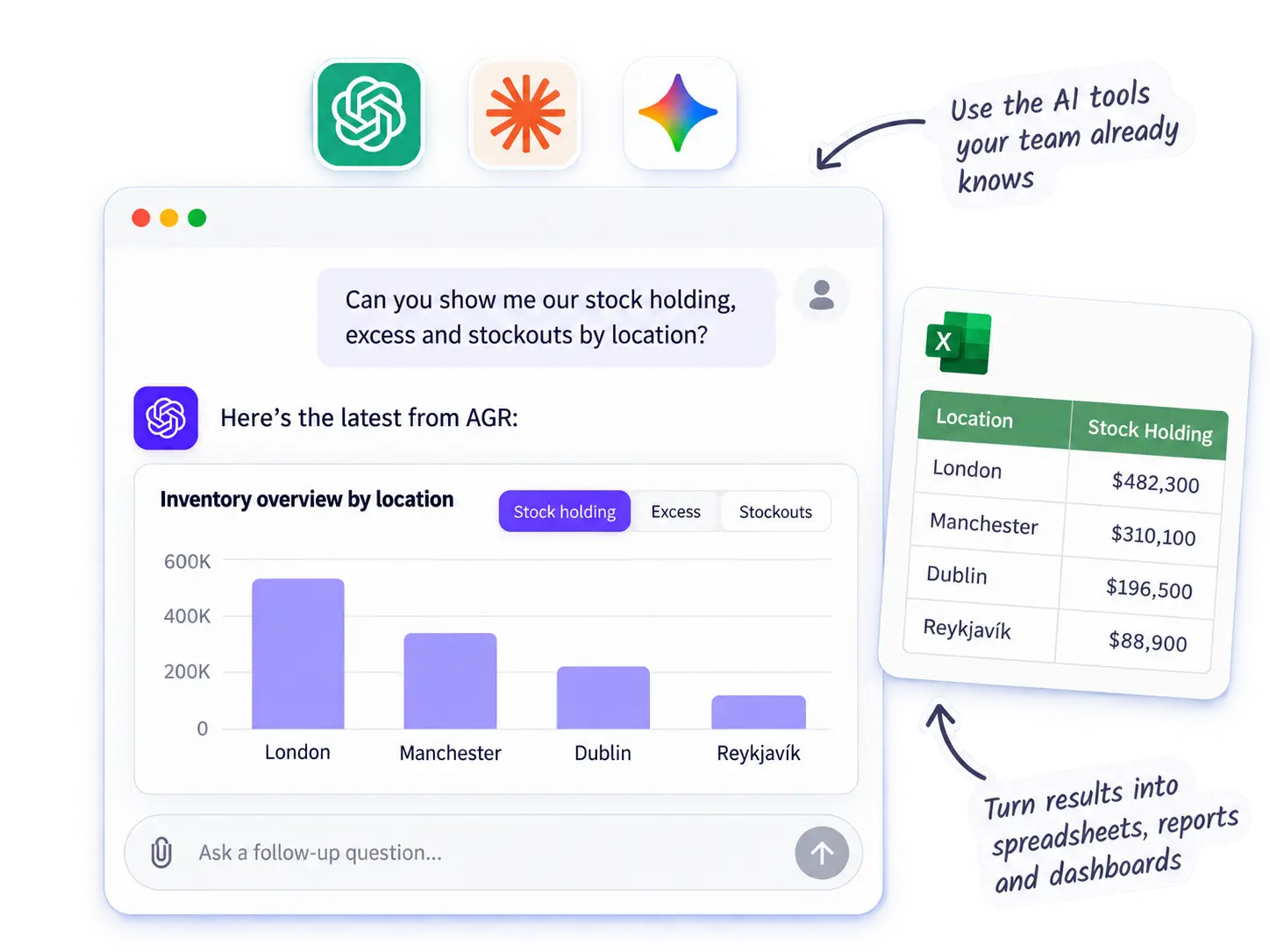
Reads live AGR data and writes it into a spreadsheet — no manual export.
It reads live AGR data — stock holding, excess value, and stockout value by location — and lays it out ready to open in Excel, built on the spot.
Result: a shareable export in one sentence
Built on the spot from your live data — not pulled from an existing report.
It reads those KPIs from your live AGR data and lays out a summary view for you – built on the spot, not pulled from an existing report.
Result: a custom view without the setup
Traced across sales, purchasing, and distribution data in one query.
It traces the cause across demand, supply, and distribution data in one query.
Result: the answer, not just the alert
Reads your item list against current stock and store capacity — you create the transfer orders in AGR.
It checks your item list against current stock and store capacity, flagging where there’s room to absorb the overstock.
Result: overstock found before it ties up cash
A scheduled check — runs on its own and only surfaces what matters.
AGR can run scheduled checks in the background and surface only the exceptions that need action, so you don’t have to keep checking reports, orders, or statuses manually.
Finds everything tied to one user, so nothing sits untouched while they’re away.
AGR can pull together the orders and schedules tied to one user, so you can see exactly what still needs review without checking each area manually.
Cross-checks your schedule setup against each region’s holiday calendar.
It cross-checks every scheduled run against each region’s holiday calendar and lists every conflict.
A full audit trail of manual overrides, by user, in seconds.
AGR can trace manual order overrides by user and summarize what changed, how often quantities were adjusted, and which items were affected.
Reads the request and the numbers behind it — you set up and confirm the order in AGR.
It checks stock availability and lays out what the distribution order should look like. You set it up and confirm in AGR.
Know a business that could use AGR? Tell us who to contact and we will take it from there.
If the deal closes, you will receive a 20% fee.
Know a business that could use AGR? Tell us who to contact and we will take it from there.
If the deal closes, you will receive a 20% fee.